A while ago I shared four tools I'd made to help with guitar practice. There are now 15 of them, all free and all in one place on my site. Some paid tools don't do as much.
Here's what each one does and how you might use it, in the order they appear on the site.
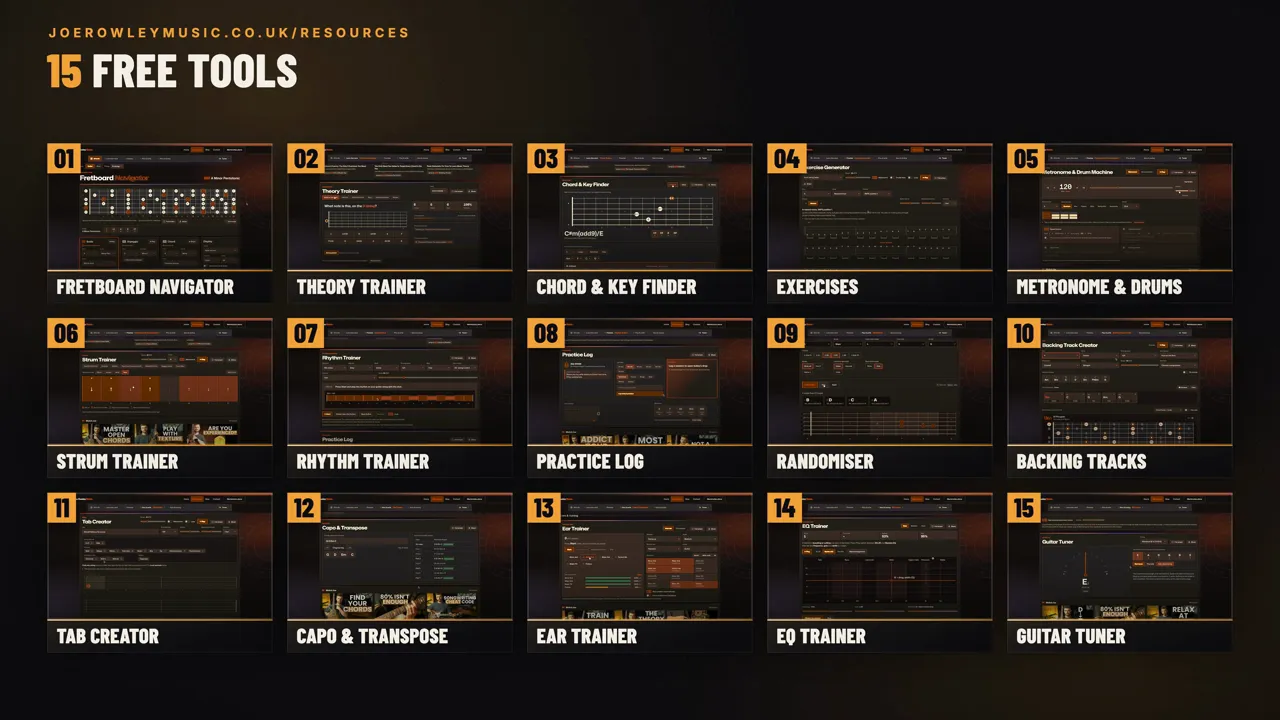
Fretboard Navigator: scales, arpeggios and CAGED shapes ▶ 0:54
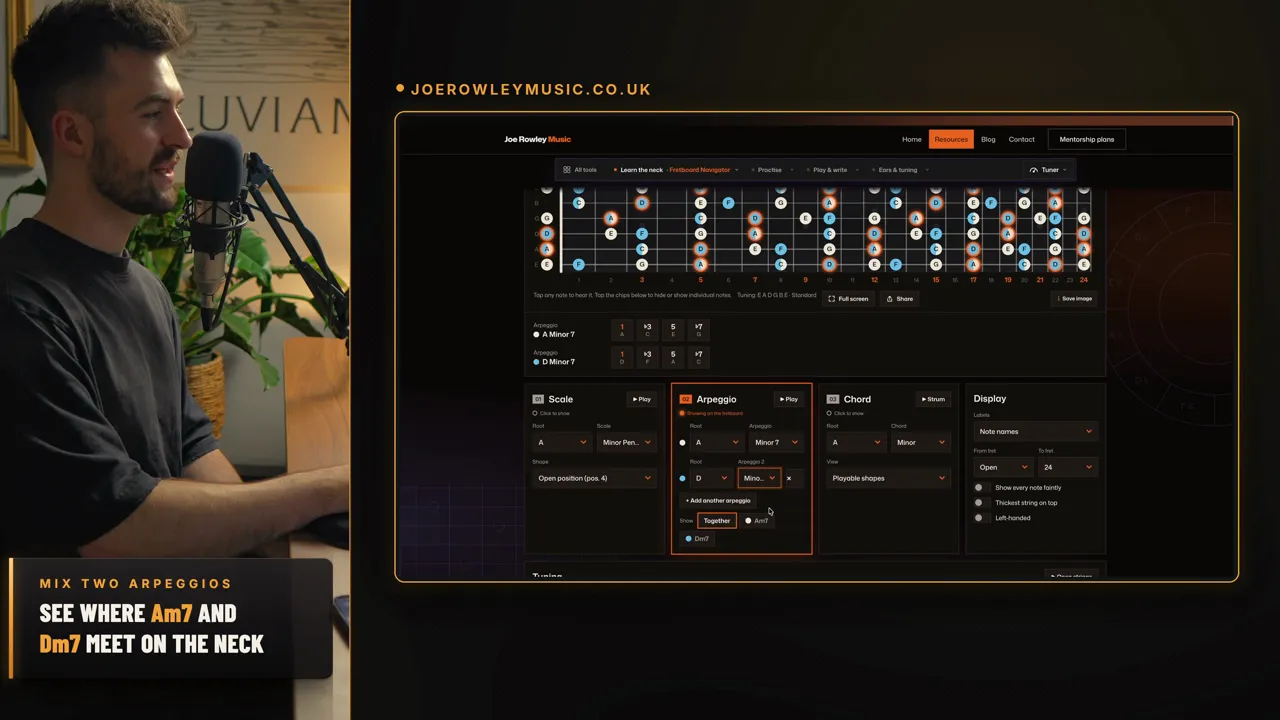
The Fretboard Navigator shows you whatever you want to see on the neck: scales, arpeggios or chords. Choose A minor pentatonic and you get it across the whole neck, or you can step through the positions one at a time. It also shows the open-position version with the open strings, so position four at the 12th fret has its open-string twin down at the nut.
Arpeggios work the same way, and here is the feature I think is genuinely unusual. You can split the view with a second arpeggio to see how the two connect. Put A minor 7 and D minor 7 together and A shows in white and D in blue, with the root notes in orange. You can then click between them.
In Chord mode you can scroll through the playable shapes as they move up the neck, and I've added the CAGED shapes, for major and minor chords only. A few other things are worth knowing:
- Display. Note names, intervals or blank dots. I think blank dots look much cleaner when you're simply trying to learn something.
- Fret range. Restrict it to, say, frets 7 to 20 if you want to focus on one part of the fretboard.
- Tuning. Change it to whatever you like. This works in most of the other tools too.
- Full screen, share and save. Share makes a link to exactly what you've set up, or you can save the image.
Theory Trainer and Chord and Key Finder ▶ 3:00
If your theory is shaky, the Theory Trainer tests you on the notes on each string, intervals, building chords, and questions such as which chord isn't in A major.
The Chord and Key Finder is one of my favourites. If you come up with a chord and don't know what it is, click the frets you're playing and it names it. I tried E major 7 first, then C sharp minor add9 over E. Add a B and it becomes C sharp minor 9 over E. It also spells out the chord in order: root, 2nd, flat 3rd, 5th. If what you've clicked couldn't feasibly be a chord, it won't name it.
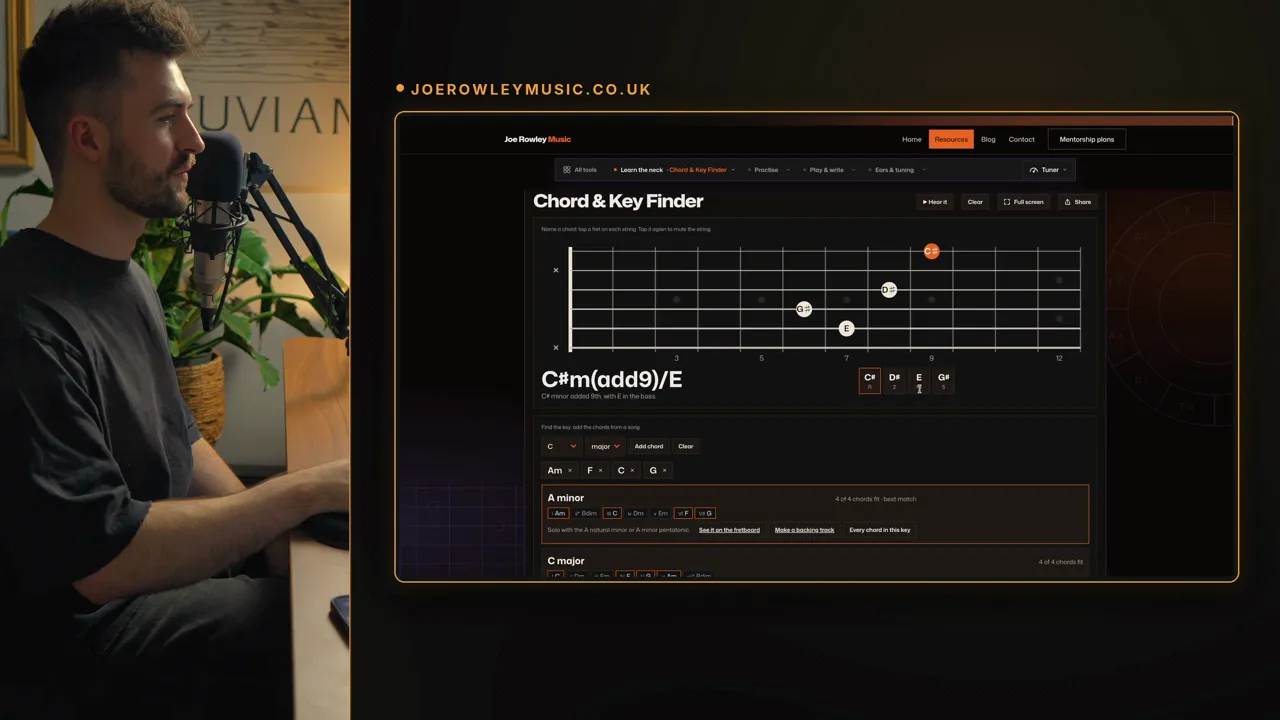
I think the other half will be really useful for many of you. Choose a key and it shows you every chord in it, plus the common variations, on the fretboard. In F major that's F, G minor, A minor, B flat, C, D minor and E diminished. It's handy whenever you've settled on a key to write or improvise in.
Exercise Generator and Metronome ▶ 4:38
I use the Exercise Generator a great deal in my live lessons, and I'll keep adding exercises to it. Choose one, then loop it, switch to double time, change the key, the count-in and the volumes, or move it up or down an octave.
The Metronome is the one I'm proudest of. Most metronomes lack the features below, or make you pay for them. Beyond the usual tempo, beat tones and divisions, there's:
- Speed trainer. It rises 1 BPM every bar up to 140, and you can change all of those numbers. The really useful part is that you can tell it to drop back to where you started and climb again. Many speed trainers just keep going.
- Interval trainer. This switches between tempos, so it's more of a jump.
- Practice timer.
- Silent bars, to test whether you can stay in time when the click drops out.
Strum Trainer, Rhythm Trainer and Practice Log ▶ 6:06
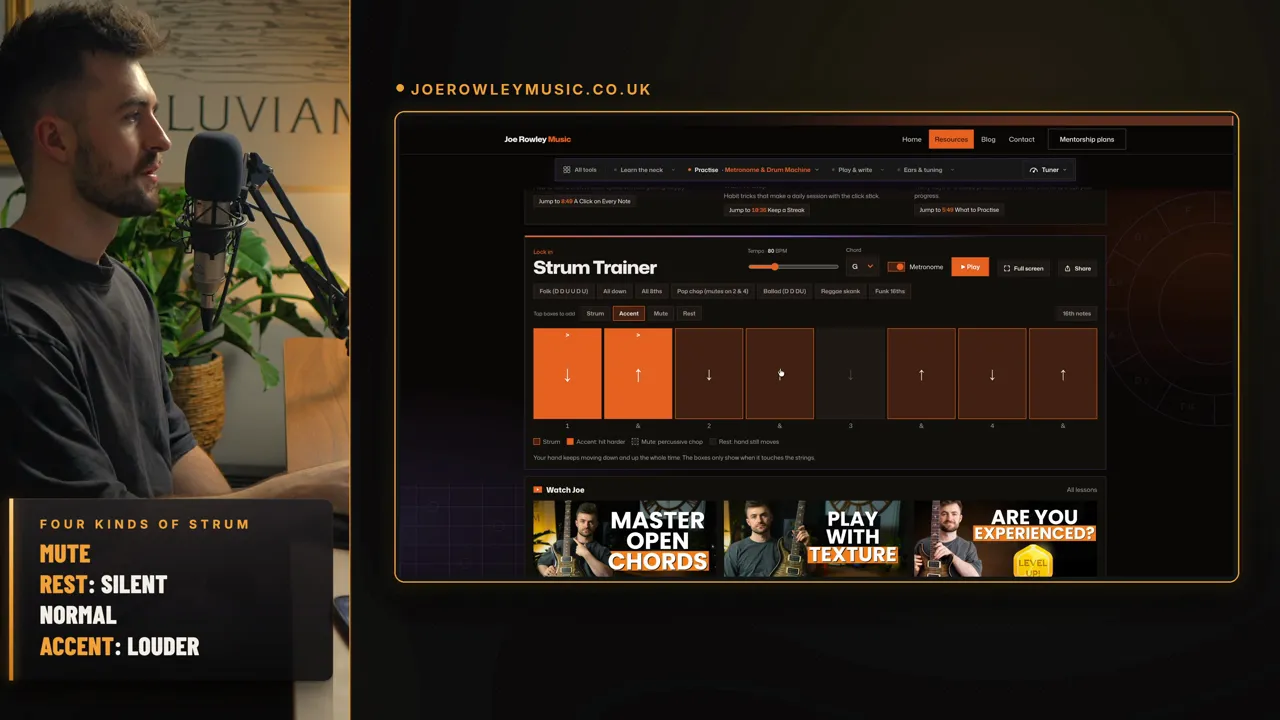
If your strumming hand is unsteady, the Strum Trainer is excellent for that. It tells you which direction to strum, in 8th notes or 16th notes. Each strum can be one of four kinds: a mute, a rest (silent), a normal strum or an accent (slightly louder). Generate a random pattern and play it. It trains the reliability of your strumming, and your ability to change what each strum does while the hand keeps moving down, up, down, up.
The Rhythm Trainer works on a similar idea. You hold one note, whichever you like, and it tells you where to play it. It generates a rhythm at the difficulty you choose. You can hear it first, then press start and play along. Loop it, go back to the previous one or ask for a new one.
The Practice Log is there if you want to keep track of what you've done, with milestones. It may not work if you have cookies disabled. I prefer writing things down myself, but the option is there.
Randomiser: random notes, chords and riffs ▶ 8:09
This one is especially useful for creative work. It gives you a random set of notes within limits you choose: a key (G major), how many notes (four), a fret range (5 to 10) and which strings (just the two middle ones, for example). It randomises the order as well.
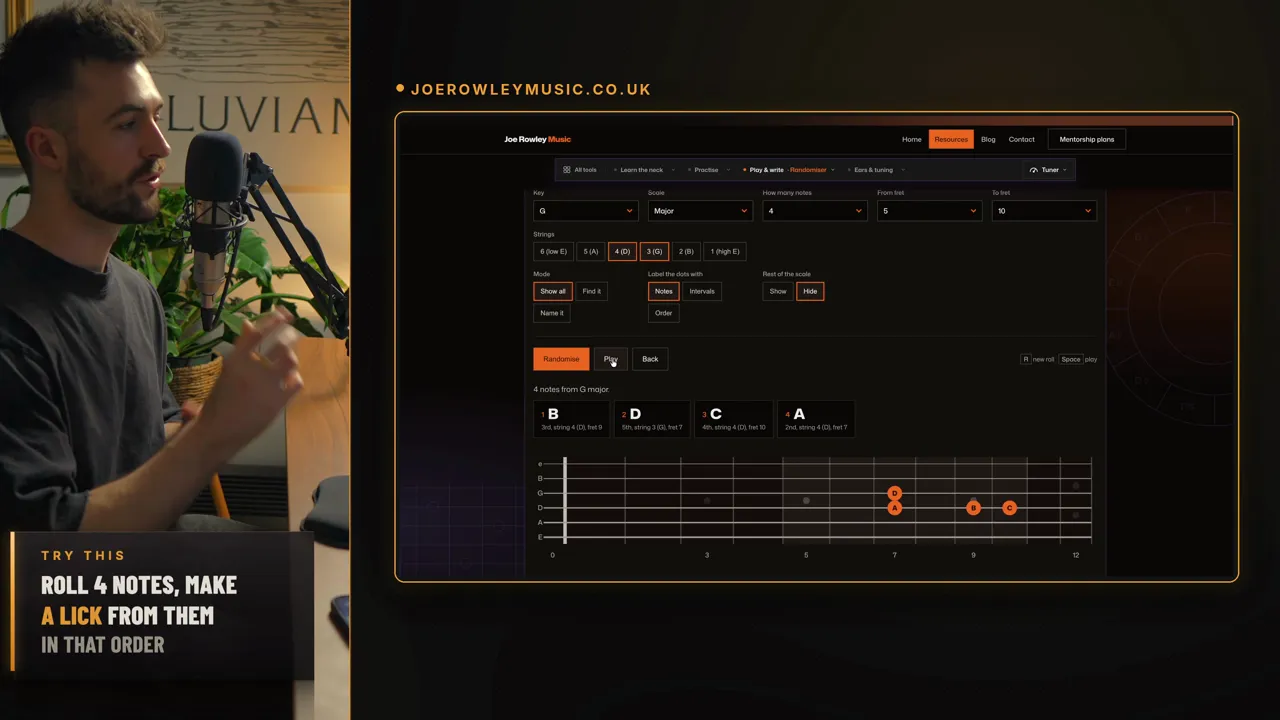
The idea is to restrict yourself: take those notes, in that order, in that part of the neck, and make something interesting out of them. That's how you start building licks and ideas. You can also hide the notes and find them yourself, or show only the intervals as a small theory test.
There's the same thing for rhythm, and for chords, where you can set how complex the progression is and how many chords from outside the key it uses. The riff randomiser combines random notes and rhythm into a riff and even tabs it for you. There's also a jam starter and a set of challenges.
Backing Track Creator ▶ 9:42
This is extremely useful for improvisers, and I use it in my live streams all the time. In the Backing Track Creator you build any chord progression you like and it plays it back. I'll be updating the instruments, which sound rather naff at the moment, but it's perfectly usable for training.
Choose a key and scale (I went for A Dorian), add some chords at two bars each, and pick a drum style. As it plays, it highlights the notes you can play over each chord, which I find very useful, and you can click them to see what they are.
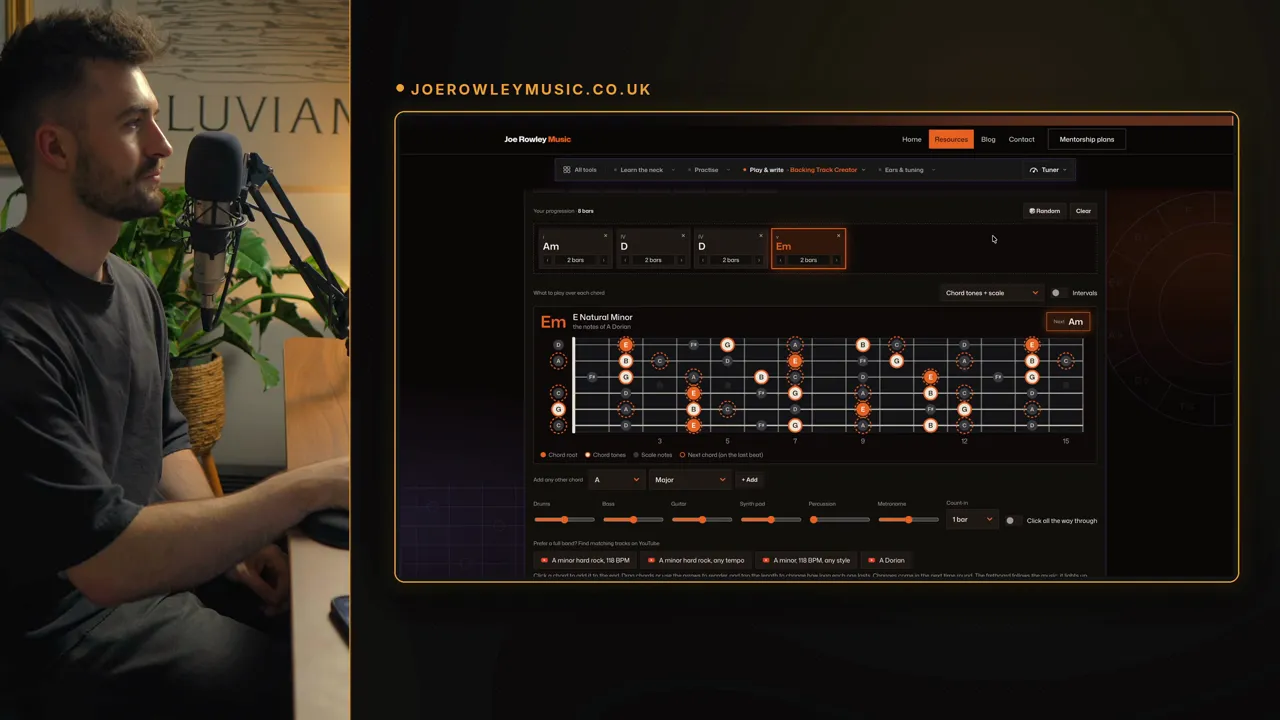
It also suggests backing tracks on YouTube in the same or a similar key. These come from other channels, not mine, and they change with the key.
Tab Creator and Capo and Transpose ▶ 10:58
The Tab Creator lets you write your own tabs, and where I think it beats Guitar Pro, for example, is that you don't have to worry about the rhythm. Entering all the different rhythm values is a chore. Here you simply put the numbers where you want them, and it adds new bars as you go.
Capo and Transpose tells you which chords to use when you're playing with a capo. It's useful if you're gigging, busking or working with a singer.
Ear Trainer, EQ Trainer and tuner ▶ 11:38
Ear training is hugely important. The Ear Trainer works on recognising intervals and chord types. Some of the chords get difficult, so make it easier by choosing simpler ones.
The EQ Trainer is great fun. It plays a track with a mystery EQ applied, and you try to match it before moving on to the next round. That one is more for the music nerds, but it's enjoyable. Finally, there's a guitar tuner.
Where to start
You don't need all 15. Choose the one that fits what you're working on this week. If it's timing, set the speed trainer to climb and then drop back down. If it's improvising, make a two-chord backing track and play only the highlighted notes. If you're stuck for ideas, roll four notes in the randomiser and make a lick from them, in that order. I'm still adding to these tools, so if there's something you'd like them to do, tell me.